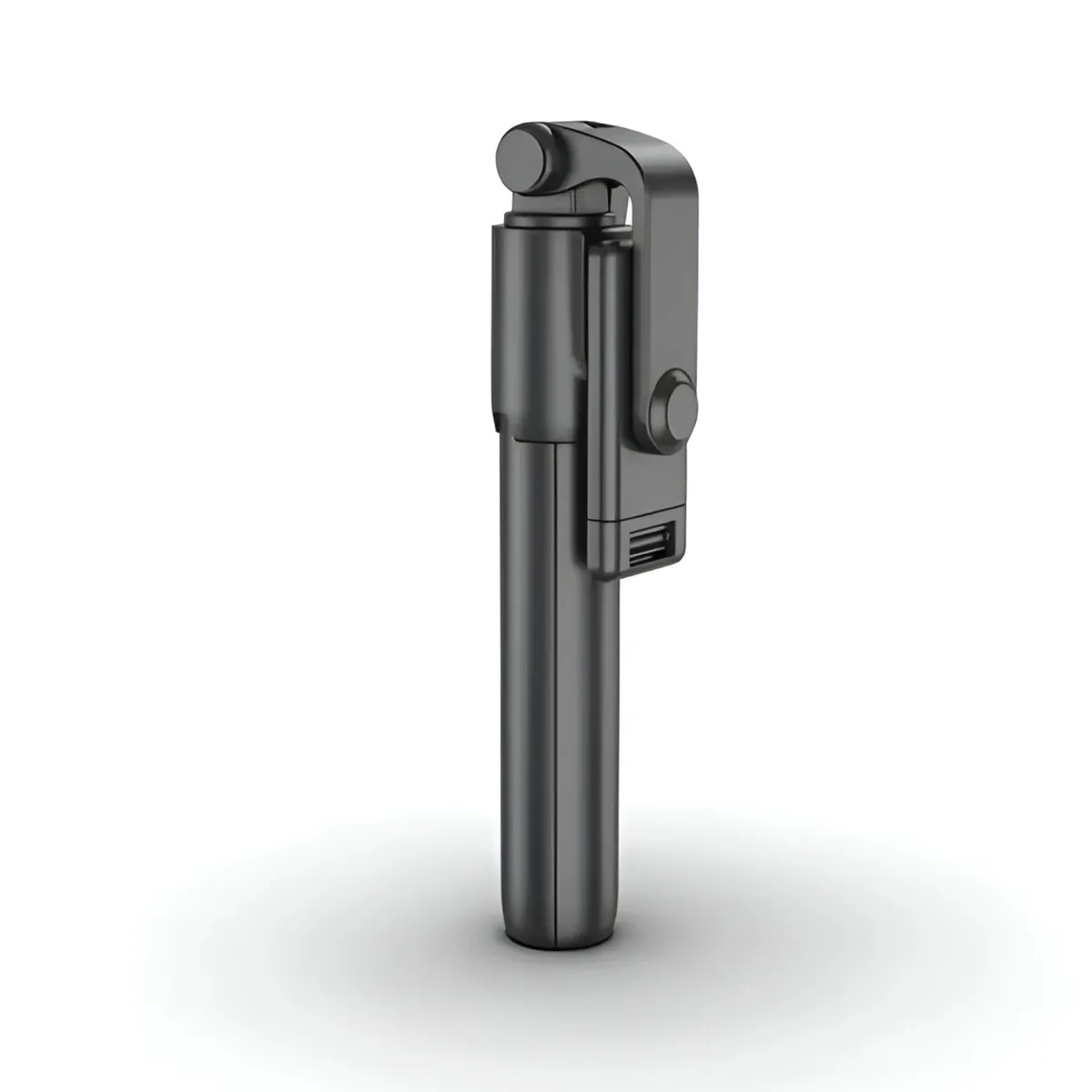
Multifunctional Selfie Stick with Bluetooth Remote & Tripod - P040065
- SKU: MRT00000065
- Minimum order (MOQ): 1 pcs
- Condition: new
- Ships from: PL
- Supplier: Grand Hurt
✅Multifunctional Selfie Stick with Bluetooth Remote & Tripod
Capture perfect photos and videos with this versatile selfie stick, designed for convenience, stability, and ease of use. Whether you're traveling, vlogging, or simply capturing everyday moments, this adjustable, portable, and lightweight selfie stick is an essential accessory for your smartphone.
✅ Product Specifications:
• Product Size: 185 × 45 × 38mm
• Maximum Length: Up to 67cm
• Adjustable Height (Desktop Mode): 31-63cm
• Phone Clamp Distance: 58-92mm
• Material: High-quality ABS + Stainless Steel
• Photo Modes: Horizontal & Vertical
• Battery Specification: CR1632 (70mAh, replaceable)
✅ Wireless Bluetooth Remote Control
Easily capture photos and videos from a distance with the detachable Bluetooth remote control. Compatible with Android 4.2.2 and iOS 5.0 or above, it allows you to take pictures with a simple click. The remote has an automatic memory connection, meaning it will instantly pair with the last connected device when turned on.
✅ 360° Rotating Phone Holder
The adjustable 360-degree rotating mobile phone clamp supports both horizontal and vertical shooting modes, making it ideal for selfies, video calls, live streaming, and more.
✅ Extendable & Adjustable for Perfect Shots
With an extendable length of up to 67cm, this selfie stick gives you the flexibility to capture wider shots. The desktop mode allows for height adjustments between 31-63cm, ensuring optimal positioning for every situation.
✅ Built-in Tripod for Hands-Free Use
The selfie stick easily transforms into a tripod by opening the handle outwards, providing stable and hands-free support for group photos, video recordings, and online meetings.
✅ Lightweight & Durable Design
Made from high-quality ABS and stainless steel, this compact and lightweight selfie stick is easy to carry in your bag or pocket, making it perfect for travel, work, and social events.
✅How to Use the Bluetooth Remote Control:
• Power On – Press and hold the power button for 2 seconds until the LED indicator flashes.
• Pairing – Turn on Bluetooth on your phone, search for the device named "selfie", and connect. Once paired, the LED indicator will turn off.
• Taking Photos – Click the button to capture photos, and the LED indicator will flash once.
• Auto Shutoff – If left unpaired, the remote automatically turns off after 5 minutes to conserve battery life.
• Power Off Manually – Hold the button for 3 seconds to turn off the remote. The LED will flash three times.
✅ How to Replace the Battery:
• Locate the groove slot on the side of the remote control.
• Open the plastic shell carefully.
• Remove the old CR1632 battery and replace it with a new one.
• Close the shell securely.
✅Important Safety Notes:
• Do not expose the battery to direct sunlight, fire, or high temperatures.
• If you experience connection issues, clear all Bluetooth devices from your phone before pairing.
• For Android users, ensure the "Volume Key Function" in the camera settings is set to default or take a picture for proper Bluetooth functionality.
Specifications
| Product Size | 185 × 45 × 38mm |
| Maximum Length | 67cm |
| Adjustable Height (Desktop Mode) | 31-63cm |
| Phone Clamp Distance | 58-92mm |
| Material | High-quality ABS + Stainless Steel |
| Photo Modes | Horizontal & Vertical |
| Battery Specification | CR1632 (70mAh, replaceable) |
| Bluetooth Remote Compatibility | Android 4.2.2 and iOS 5.0 or above |